
Property Management · Conventional
Conventional multifamily, run as one connected operation.
For market-rate and affordable / LIHTC multifamily teams — from the site office to regional oversight to leadership.
Site-Level · run the property
Conventional Site-Level
$249 one-time
Leasing & Support Staff included — no separate price or installation.
Optional · oversee several sites
Regional expansion
$179 one-time
Or Site + Regional together for $379 one-time — save $49.
Organizational layer
Conventional Enterprise
From $199/mo
or $1,990/yr · licensed by manager count, not total employees.
Enterprise Licensing · organizational layer
Conventional Multifamily Enterprise
Organizational risk, priorities, approvals and decisions across your properties — without copying every local record upward. One market or many.
Licensed by manager count, not total employees. Annual = ten monthly payments (two months free).
| Managers | Monthly | Yearly | Action |
|---|---|---|---|
| 2–5 managers | $199/mo | $1,990/yr | |
| 6–10 managers | $349/mo | $3,490/yr | |
| 11–20 managers | $599/mo | $5,990/yr | |
| 21+ managers | Custom quote | Request a custom quote → | |
Promotions apply only to eligible one-time purchases, not recurring Enterprise subscriptions.
Why each layer exists
- Site-Level
- Runs the detailed work at each property. Complete on its own.
- Regional
- When you oversee several sites, Regional shows what each site manager is carrying, so you step in only where it matters.
- Enterprise
- Managers keep the detail. Leadership gets the organizational view.
You don’t need Regional if you run one site, or no one oversees several site managers. Site-Level is complete without it. Enterprise can connect directly to Site-Level; Regional is not required.
Detail stays local. Intelligence rolls up.
Conventional Multifamily Site-Level Manager
Run the property.
Detailed local work, with Leasing & Support Staff included.
Conventional Multifamily Regional Manager
See across properties.
An expansion for comparison, intervention, escalation and cross-property intelligence.
Conventional Multifamily Enterprise
Lead across the organization.
Material leadership intelligence across properties, regions, departments, risks and decisions — not national-only.
Operational intelligence rolls upward. Deployment flows downward: Enterprise → Regional → Site-Level → Leasing & Support Staff.
Higher-level views surface material information, not copies of every local record. Shared intelligence requires authorized shared sources, supported shared workspaces or explicit handoffs; separate private AI chats do not automatically synchronize.
Bundle & save $49
- Site only
- $249
- Add Regional later
- +$179
- $428 when purchased separately
- Site + Regional together
- $379 bundled · save $49 one-time
Regional requires compatible Conventional Site-Level ownership or a same-purchase base. Later expansion purchases don’t receive bundle savings.
What it runs
- Resident & unit lifecycle
- Leasing & renewals
- Turns / make-ready
- Maintenance coordination
- Inspections
- Vendors & procurement
- Financial follow-up
- Owner / client approvals
- Compliance & deadlines
- Leasing & Support Staff companion
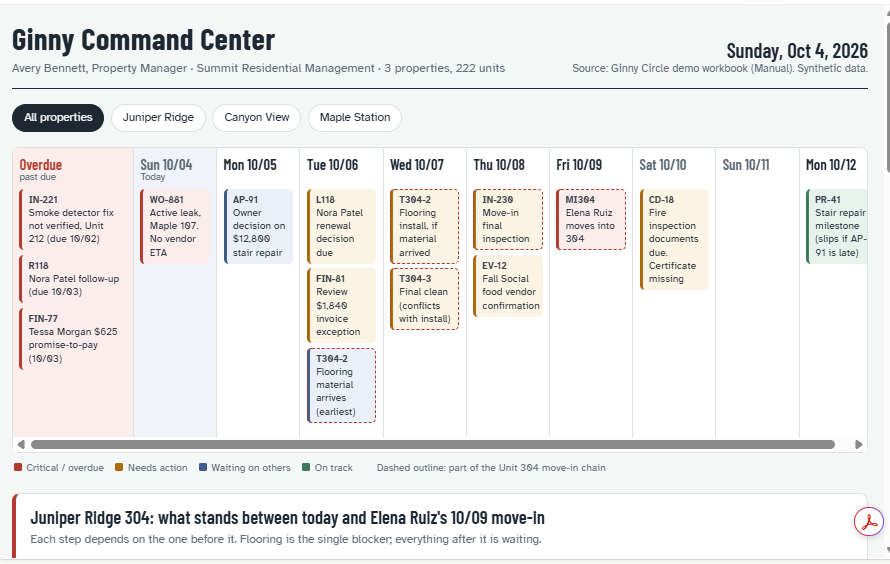
Real Ginny output · synthetic demo data
Email & inbox operations
Start with the dashboard. Then clear the inbox with Ginny.
See what needs attention before you open email. Then let Ginny find the messages that matter — new operational email, replies, approvals, escalations and commitments tied to active work. Read less. Miss less. Follow through.
- 1
Review
Review the dashboard.
- 2
Scan
Scan the connected inbox.
- 3
Reply
Draft and send the replies that need attention.
- 4
Follow through
Carry commitments and follow-up back into the work.
From inbox to next move — at every level.
- Site-Level
- Keep resident requests, vendor replies, approvals and promises from falling through the cracks at your property.
- Regional
- Dashboard first, inbox second. Separate routine traffic from issues that need your intervention, surface escalations and commitments, and connect email to the sites you already oversee.
- Enterprise
- Surface patterns, escalations, unresolved commitments and cross-property risks leadership actually needs to see.
Email help is part of every level. Higher levels add prioritization, intervention and roll-up — Enterprise does not copy every manager’s email upward.
Email shouldn’t be a second task system. Inbox scanning and sending work through a supported, authorized email connection, when you ask — Ginny does not continuously monitor inboxes or send on its own. Replies are sent from your work email with your direction and approval, where the connection supports sending. Your email platform remains the official record, and an email saying something happened is treated as context: it never silently changes a status such as Requested to Approved or Scheduled to Completed. Manual mode stays fully useful without a connection. How email works with Ginny
Within Conventional
LIHTC / Affordable specialization · $199 one-time
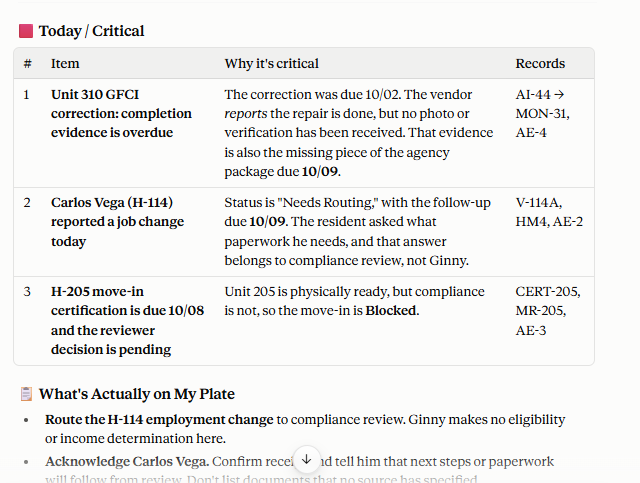
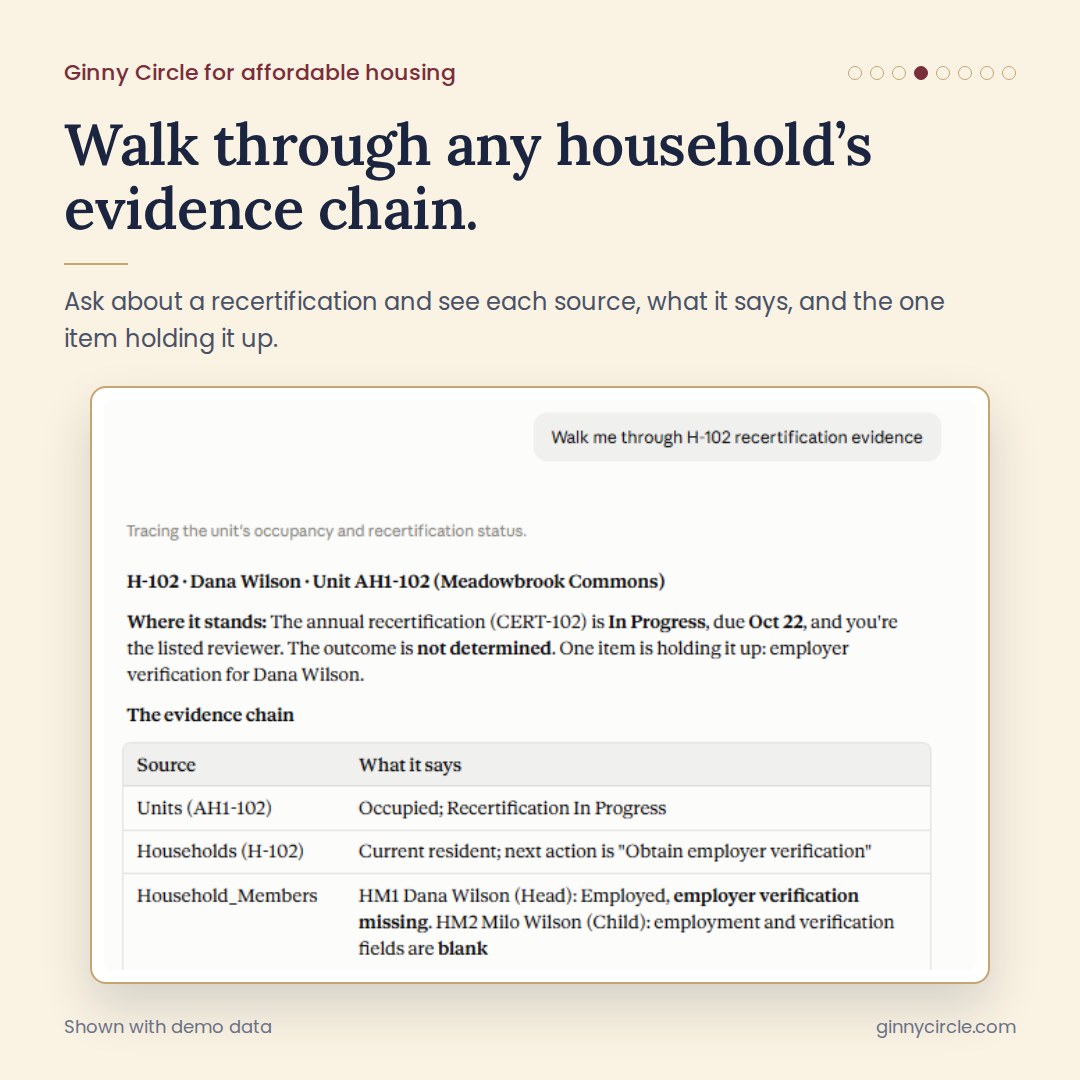
Specialized operational coordination for affordable housing teams managing certification and recertification workflows, documentation, verification, compliance deadlines, monitoring requests and compliance-related move-in readiness. Its own approved product and installation — not included with Site-Level, and not a separate industry. Regional requires Conventional Site-Level, not this specialization alone.
One purchase → one install file → one paste → Ginny is installed. Ginny works alongside your PMS and accounting — it never replaces your system of record. Choose Manual or Connected; both are the same product and price.
Not sure which Ginny fits?
Answer one quick question and we’ll point you to the right Ginny — or talk with us directly.